
A clock tells you what time it is. DuePal shows how much time is left.
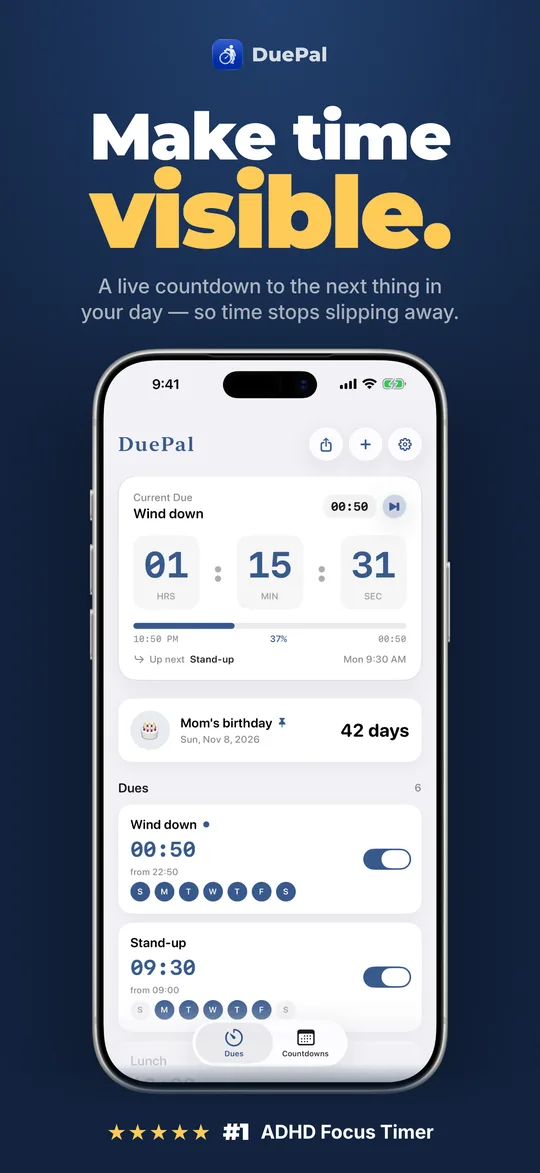
Built for ADHD time blindness and busy routines. Set the anchor points of your day once — stand-up, lunch, deep work, school pickup — and watch DuePal count down live, then hand over to the next one on its own.
- 12:00 · Lunch breakNOW
- 14:00 · Deep work blockUP NEXT
- 17:30 · Wrap up workdayQUEUED
- 18:30 · School pickupQUEUED
Designed for brains that lose track between transitions
Knowing it is 2:15 rarely stops 4:47 from sneaking up on you. DuePal turns fixed times of your day into a single visible countdown everywhere you look.
Mac Menu Bar & Desk Clock →
Keep the next due pinned in your macOS menu bar or open a full-screen desk clock with keyboard shortcuts and desktop widgets.
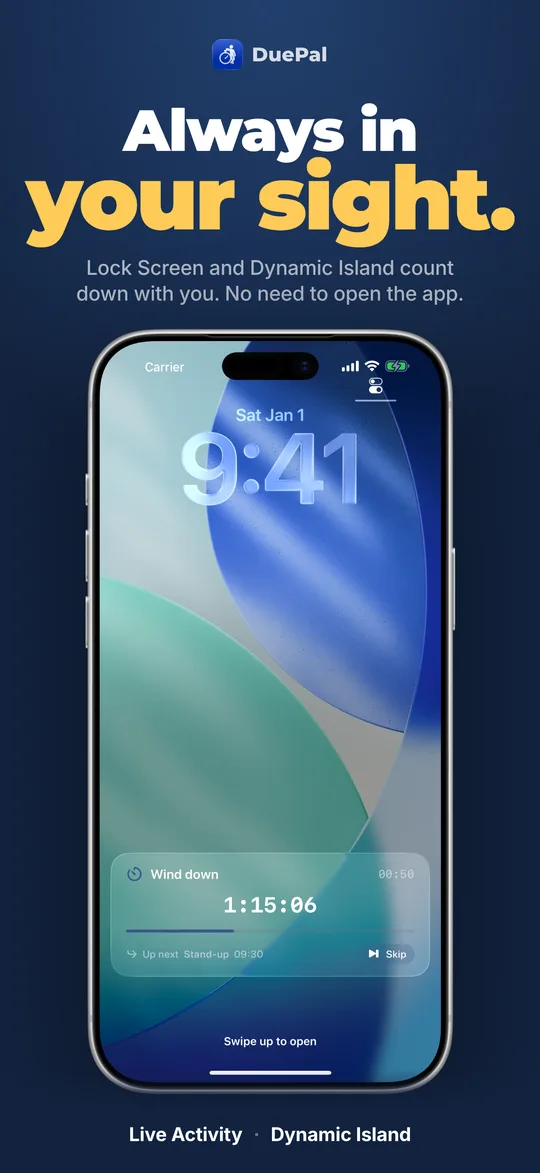
Lock Screen & Dynamic Island →
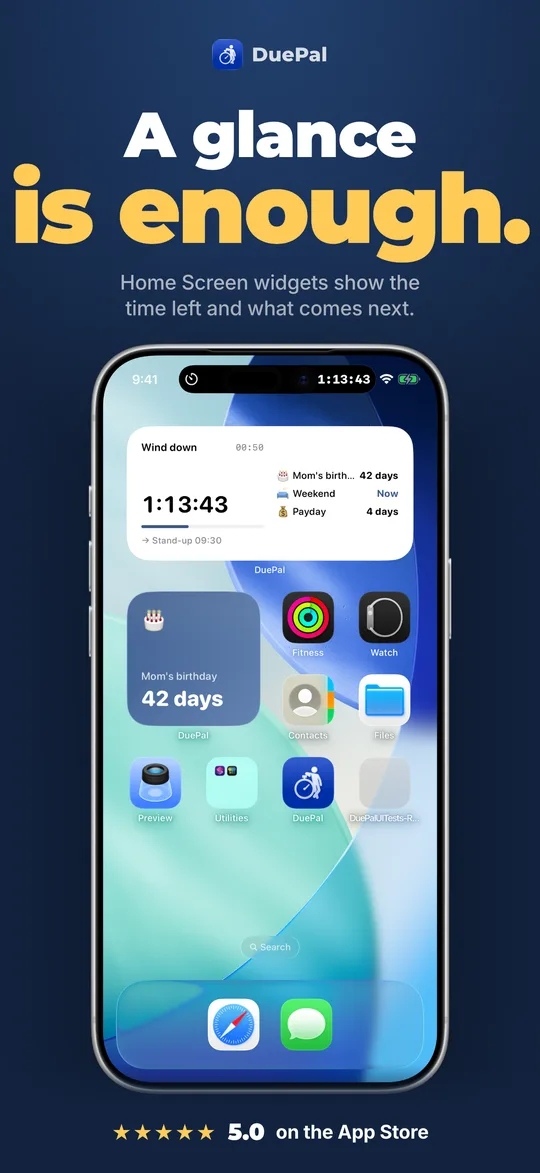
See remaining time on Home Screen widgets, Lock Screen Live Activity, Dynamic Island, and Control Center without opening the app.
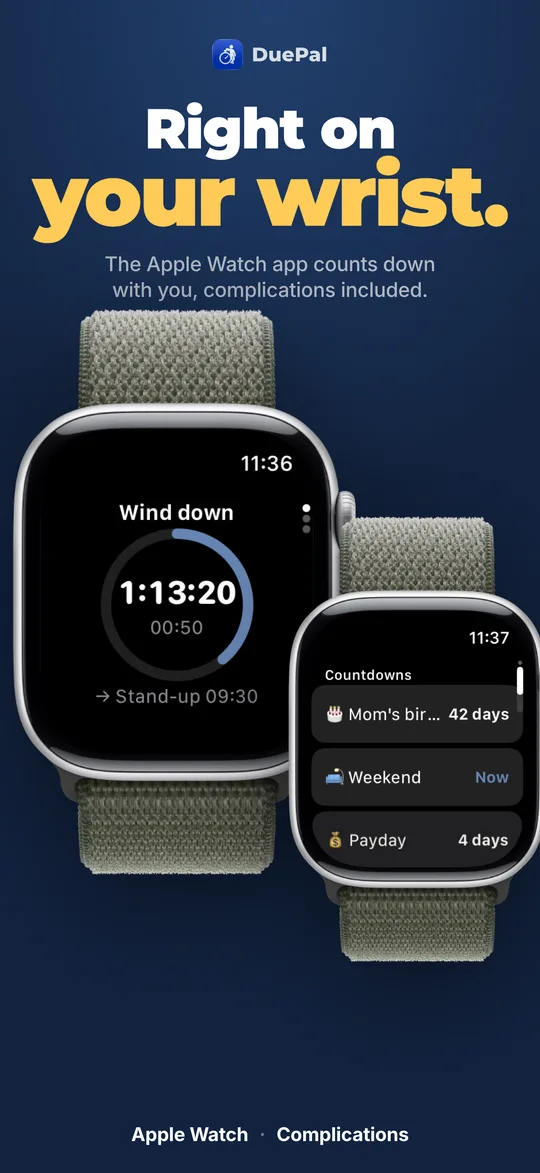
Apple Watch & Complications →
Check minutes remaining straight from your wrist, get a heads-up before each transition, and skip or snooze right from the alert.
22 Visual Clock Faces →
Switch between shrinking Pie Disk, Ring, Flip Clock, Hourglass, Nixie, Words, and real-photo Sky or Train windows.
Workday & Holiday Intelligence →
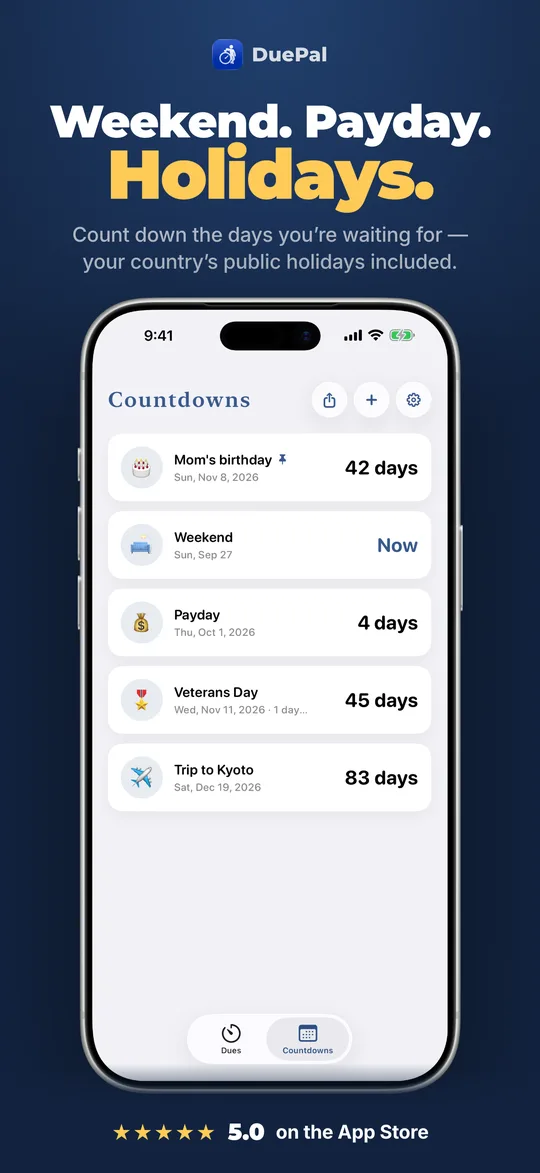
Weekday schedules skip public holidays automatically in 20 countries (including CN/TW make-up workdays) with dedicated weekend and payday countdowns.
Free Daily Anchor Builder →
Map 2 to 6 daily anchor points right in your browser and launch your next countdown window directly in DuePal Web Timer.
Built to be read in under a second
Compare DuePal to visual timers, flip clocks & reminders
DuePal vs Countdown Star: Event Days vs Daily Time →
Countdown Star focuses on days until future events with celebratory themes and time zones; DuePal combines date countdowns with intraday anchor handovers, Mac menu bar, and ADHD visual clock faces.
VS DUEDuePal vs Due App: Visual Countdown vs Nag Alarms →
Due is built around rapid task entry and relentless auto-snooze nagging; DuePal is built around glanceable visual clocks showing remaining time before your next transition.
VS FLIQLODuePal vs Fliqlo: Flip Clock vs Countdown Clock →
Fliqlo shows what time it is right now; DuePal counts down how much time is left until your next anchor in Flip Clock or 21 other styles.
VS PRETTY PROGRESSDuePal vs Pretty Progress: Widgets vs Daily Handover →
Pretty Progress focuses on customizable milestone progress widgets across iOS and Android; DuePal focuses on live daily anchor handovers, alarms, and 22 clock faces across Apple devices.
VS TIME TIMERDuePal vs Time Timer: Visual Countdown App Comparison →
Time Timer counts one fixed duration with a shrinking red disk; DuePal counts down to the next anchor time of your day and hands over automatically.
VS TIMEQUBEDuePal vs Timeqube: Physical Cube vs Software Clock →
Timeqube is a physical color-shifting desk cube for single sessions; DuePal is a multi-device visual countdown app that follows your whole day automatically.
Visual timer & desk clock guides
Best Apple Watch Timers for ADHD & Time Blindness (2026) →
Compare the best Apple Watch timers for ADHD in 2026: DuePal, Apple Watch Timer, Time Timer, and Due—complications, haptics, and daily handovers.
Desk ClockBest Desk Clock Apps for Mac: Flip, Menu Bar & Countdown (2026) →
Compare the best desk clock apps for Mac in 2026: DuePal, Fliqlo, Pretty Progress, macOS Desktop Widgets, and free browser clocks for time-remaining focus.
ADHD & Time BlindnessBest Lock Screen Countdown Widgets for iPhone (2026) →
Compare the best iPhone Lock Screen countdown widgets and Live Activities in 2026: Apple Clock, DuePal, Pretty Progress, and Countdown Star—free vs paid.
Desk ClockFliqlo vs StandBy Mode: Best iPhone & Mac Desk Clock? →
Fliqlo vs Apple StandBy Mode compared for desk setups: paid flip clock screensaver vs free iOS charging display—plus DuePal for live countdown desk clocks.
Frequently Asked Questions
How is DuePal different from a regular countdown timer?
A standard timer counts one fixed length, stops at zero, and expects you to remember to start the next one. DuePal counts down to the fixed anchor points of your day and hands over to the next due automatically, repeating on chosen workdays while skipping public holidays.
Is DuePal free to download and use?
Yes. DuePal is free to download with no ads and no account, including 2 active dues, 2 date countdowns, the Current Due Home & Lock Screen widget, and the Mac menu bar countdown. The browser timer at duepal.app/timer is also unlimited and free.
Which Apple platforms does DuePal run on?
DuePal runs natively on iPhone, iPad, Mac (menu bar countdown, floating Desk Clock, and desktop widgets), and Apple Watch (standalone app plus complications), with iCloud sync across devices.
Does DuePal work without opening the app?
Yes. Remaining time stays visible in Lock Screen and Home Screen widgets, Mac menu bar and desktop widgets, Apple Watch complications, Control Center, and Lock Screen Live Activity and Dynamic Island with Premium.
Using Android or Windows? Join the waitlist
DuePal’s native app currently runs on iPhone, iPad, Mac, and Apple Watch only. On Android or Windows, you can use the free browser countdown timer right now — or leave your email for a single heads-up when your native app ships.
One launch email only — zero spam or sharing. See our Privacy Policy.